
The countdown to April 2026 has officially begun. As per the HMRC statistics, the estimated private business population of sole proprietorships in the UK is approximately 3.2 million (accounting for 57%). Also, as per the 2023-24 EHS (English Housing Survey), there are around 4.7 million households renting privately. Therefore, for all these private business owners, the way you report income to HMRC is about to undergo its most significant transformation in decades. Making Tax Digital (MTD) for Income Tax Self Assessment (ITSA) is no longer a distant concept – it is a mandatory requirement for those with qualifying income over £50,000.
At Julian Hobbs, we understand that for many business owners, “digital transformation” sounds like an expensive headache. However, central to this shift is MTD compatible software. Without it, you simply cannot meet your legal obligations to keep digital records or submit the required quarterly updates. But with a sea of providers claiming to be “HMRC-recognised,” how do you identify the solution that actually fits your workflow?
This comprehensive guide breaks down everything you need to know about choosing the right MTD-compatible software to stay compliant and simplify your tax life.
What is MTD Compatible Software?
MTD compatible software is a digital tool that can connect directly to HMRC’s systems via an Application Programming Interface (API). According to the new rules, the concept of digital recordkeeping implies that you will no longer have any possibility to submit your year-end return using paper ledgers or simple, disconnected spreadsheets.
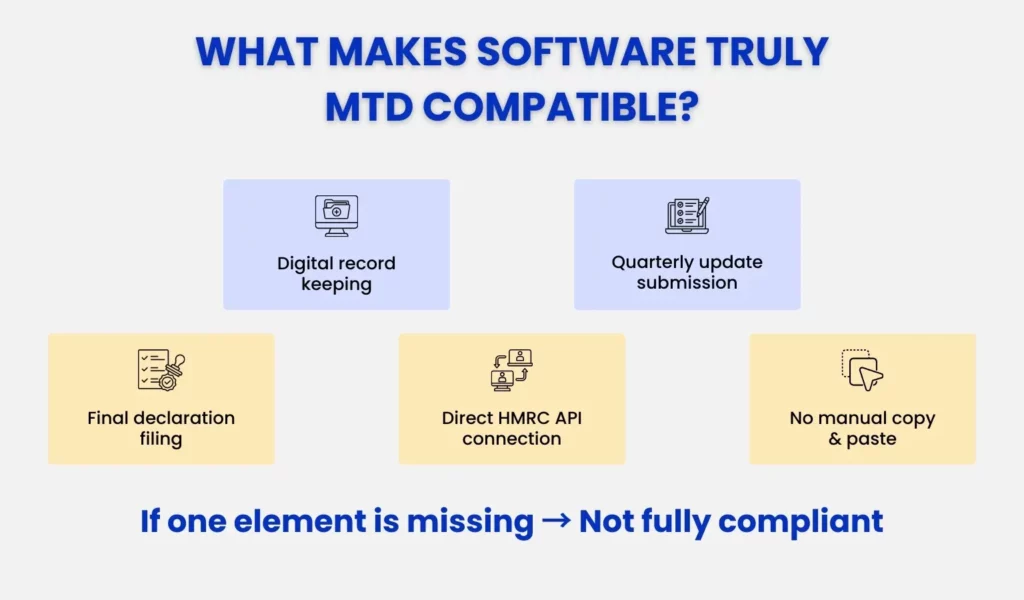
In order to be MTD-compliant, the software should be capable of:
- Maintaining digital records of all business transactions (income and expenses).
- Summarising these records into quarterly updates.
- Sending updates digitally to HMRC without manual data entry or “copy-pasting” into a web portal.
- Facilitating the Final Declaration, which replaces the traditional Self Assessment tax return.
Fundamentally, the software is a secure means of connection, guaranteeing that the information HMRC gets is an exact copy of what you have in your books, and the chances of inaccuracies in your data are minimal and may result in saving billions of pounds that would otherwise have been taxed.
Who Needs HMRC-Approved MTD Software?
The implementation of the MTD on Income Tax is a gradual shift according to your qualifying income- the sum of your self-employment income and property income at the time when the expenses are not subtracted.
- From 6 April 2026: If your qualifying income is above £50,000, you must use MTD-compatible software.
- From 6 April 2027: The threshold drops to above £30,000.
- The Future: The government has already indicated that it will extend it to those with incomes that are above £20,000 in the near future.
If you fall into these categories, the “old way” of filing via the HMRC portal will disappear. You will be required to use software (MTD compatible software) to send “light-touch” updates every three months, followed by an annual final declaration.
Types of MTD Software and When to Use Them
Not everyone needs a complex accounting suite with bells and whistles. HMRC recognises different types of software to accommodate everyone from the tech-savvy freelancer to the spreadsheet-loyal landlord.
Full MTD Software
This is a complete cloud-based accounting program, such as Xero, QuickBooks or FreeAgent. It accommodates invoicing and bank feeds, categorisation of expenses and tax filing.
- Best for: The business with high transactions, or those requiring real-time profit/loss information, and for individuals considering automating their bookkeeping process altogether.
- Pros: Massive time savings via bank automation; excellent “mobile app” support for snapping receipt photos.
Top 5 “Full Accounting” MTD Software Solutions
Full accounting suites are “all-in-one” platforms. They manage everything from invoicing to bank feeds and are ideal for those looking to automate their entire financial life.
#1. Xero
Xero is a market leader for UK SMEs due to its massive ecosystem of 800+ app integrations.
- Key Features: Hubdoc integration for automated receipt scanning, real-time bank feeds, and a “Short-term Cash Flow” dashboard.
- Best For: Growing businesses and those who want a collaborative relationship with their accountant.
- Advantage: It is built for MTD, making the transition to ITSA quarterly filing incredibly intuitive.
#2. QuickBooks Online
QuickBooks Online software is well-known for its user-friendly interface and its strong mobile app.
- Key Features: Automated mileage tracking, “Smart Scan” feature for tax-ready expenses, and detailed profit/loss reporting.
- Best For: Mobile-first freelancers and sole traders managing their business on the go.
- Advantage: Its “Tax Estimate” tool helps you avoid the dreaded January tax bill surprise.
#3. FreeAgent
FreeAgent is often provided free to those with NatWest, Royal Bank of Scotland, or Mettle business accounts.
- Key Features: Unique “Tax Timeline” that shows exactly what you owe and when, automated dividend vouchers, and seamless payroll.
- Best For: Contractors and small limited companies.
- Advantage: FreeAgent helps in simplifying complex accounting jargon into actionable tasks for non-accountants.
#4. Sage Business Cloud Accounting
Sage Business Cloud Accounting software is the household name in UK accounting that offers businesses reliability and deep compliance expertise.
- Key Features: Multi-currency support, detailed inventory management, and excellent VAT handling.
- Best For: Sage is best for established businesses with more complex inventory or VAT requirements.
- Advantage: Sage offers high-level security and a very stable platform for long-term record keeping.
#5. FreshBooks
FreshBooks focuses heavily on the “service-based” professional.
- Key Features: Time tracking integrated with invoicing, project management tools, and simple expense categorisation.
- Best For: Consultants, designers, and agencies who bill by the hour or project.
- Advantage: The key advantage of FreshBooks is that it is extremely easy to set up for those who find traditional accounting software intimidating.
Bridging Software (MTD Bridging Software Compatible with Excel 2007)
If you love your spreadsheets and don’t want to change your current process, bridging software is your solution. It is a digital “translator” that takes the data from your Excel file and sends it to HMRC in the required format.
- Excel 2007 Compatibility: One of the common concerns is whether the older versions of software still work. Many bridging tools (such as Absolute Excel Income Tax Filer or 123 Sheets) are specifically designed to be compatible with Excel 2007 (.xlsx) and newer. As long as your spreadsheet can record the required data and the bridging tool can “map” your cells, you can stay compliant without upgrading your entire Office suite.
- Best for: Small-scale landlords or sole traders with very few transactions who are below the VAT registration threshold and want to keep systems simple.
Top 5 “Bridging” MTD Software Solutions
If you love your spreadsheets and don’t want to switch to a full accounting platform, bridging software is your solution. It “bridges” the gap between your Excel data and HMRC.
#1. Absolute Excel Income Tax Filer
A veteran in the bridging space, Absolute is specifically designed for simplicity.
- Functionality: It allows you to use your own Excel spreadsheets and simply “maps” the totals to the HMRC API.
- Compatibility: Fully compatible with Excel 2007 (.xlsx) and newer.
- Best For: Landlords with a single property who have a tried-and-tested spreadsheet.
#2. 123 Sheets
Known for its high-speed filing and excellent customer support.
- Functionality: A web-based “upload” tool where you drop your spreadsheet, and it identifies the relevant tax cells.
- Compatibility: Works with almost all spreadsheet formats.
- Best For: Those who want a “no-frills” compliance tool that takes less than 5 minutes to use.
#3. BTCSoftware (by Bright)
BTCSoftware is a more robust bridging solution often used by those with multiple income sources.
- Functionality: It offers a “Management” view of your tax position alongside its filing capabilities.
- Best For: Complex sole traders or landlords with multiple businesses who still prefer Excel for their day-to-day books.
#4. TaxCalc
TaxCalc is one of the highly rated software program because of its “SimpleStep” workflow, which guides you through the filing process.
- Functionality: It checks your reports for common errors before you submit to HMRC, reducing the risk of enquiries.
- Best For: Individuals who want a little more guidance than a basic bridging tool provides.
#5. BridgingSoftware.co.uk
This is one of the most cost-effective options on the market.
- Functionality: A straightforward “VAT and Income Tax” bridge that focuses on core compliance.
- Best For: Micro-businesses and those on a tight budget who need to meet MTD requirements with minimal cost.
Using Multiple Products Together
HMRC allows for “digital links” between different products. For example, you might use one specialist app to track rental property maintenance and another (the “software-agnostic” tool) to pull that data together for the final submission. The key rule: the data must move between these products digitally. You cannot manually retype figures from a report into your tax software.
How to Choose the Right MTD Software (Features & Benefits)
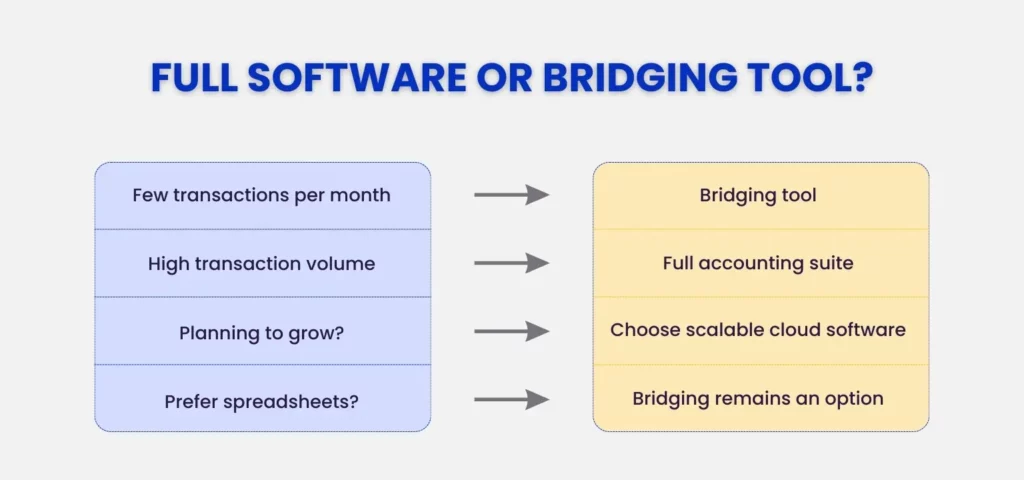
At Julian Hobbs, we recommend evaluating your choice based on two factors: Transaction Volume and Growth Ambition.
- Low Volume / No Growth Plans: If you have 10 transactions a month and don’t plan to expand, a Bridging Tool like Absolute or 123 Sheets keeps your costs low and your workflow unchanged.
- High Volume / Scaling Business: If you’re sending dozens of invoices and want to see your profit in real-time, a Full Suite like Xero or QuickBooks is a strategic investment that pays for itself in time saved.
Choosing MTD compatible software is a balance between cost, ease of use, and functionality. We recommend looking for these “must-have” features:
| Feature | Why You Need It |
| HMRC Recognition | Your software must be on HMRC’s official list of compatible providers to be legal. |
| Direct Bank Feeds | Automatically imports transactions from your bank, virtually eliminating data entry errors. |
| OCR Receipt Capture | A mobile app that lets you scan receipts on the go-no more shoeboxes of paper. |
| Multi-Source Support | If you are both a sole trader and a landlord, the tool (and your accountant) must handle both income streams simultaneously. |
| Real-Time Tax Estimates | Provides a rolling estimate of how much tax you owe, helping you avoid “January shock.” |
| Collaborative Access | Allows your accountant to log in, review your numbers, and fix errors before they reach HMRC. |
The “Hidden” Benefit: Better Business Insights
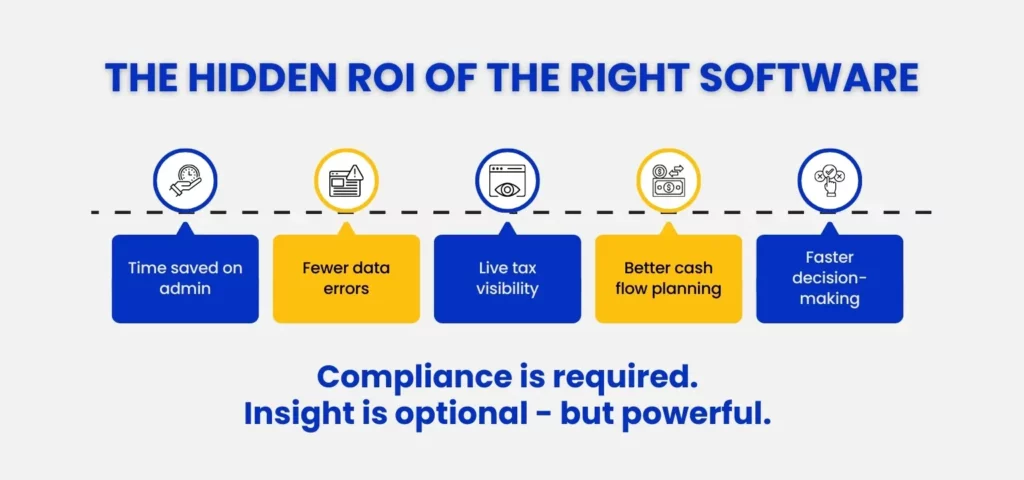
While MTD is a requirement, the right MTD compatible software+expertise, offers a massive competitive advantage. Instead of looking at your finances once a year, you get a 360-degree view of your cash flow in real-time. This allows for better decision-making – knowing exactly when you can afford to invest in new equipment, plan surplus income or when you need to tighten the belt.
Once you have clear quarterly profit visibility, our Tax-Free Savings Account Guide explains how business owners can protect surplus income using ISAs and Premium Bonds.
Key Takeaways: Choosing MTD Compatible Software Confidently
- Audit Your Income: Check your gross income from the last two tax years. If you hit £50,000, you are in the first wave.
- Evaluate Your Technical Comfort: If you hate tech, look for a simple bridging tool for your Excel sheets. If you want to grow your business, invest in a full cloud suite.
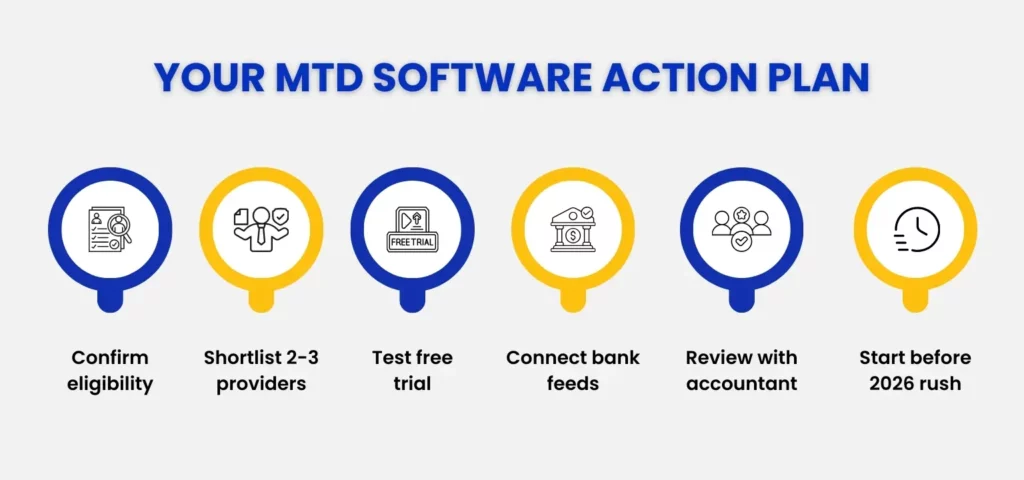
- Don’t Wait for the Deadline: The “April Rush” of 2026 will be chaotic. Start using compatible software now (even voluntarily) to get used to the interface.
- Talk to Julian Hobbs: We work with leading platforms including Xero, QuickBooks, and Sage, across Hertfordshire, Welwyn, and nearby areas, and can help you select the one that integrates best with your income tax services.
Why Julian Hobbs Is Your Partner in the MTD Transition
At Julian Hobbs, we don’t just “do your taxes”; we provide the strategic oversight you need to thrive in a digital-first tax environment. Our income tax services are built around the idea that your numbers should tell a story, not just fill a form. Read our guide on financial vs management accounting to understand what true business insight looks like.
We focus on supporting freelancers, contractors, and landlords through MTD transition. Whether you need help setting up Xero or finding the right bridging software for your Excel 2007 setup, we bring big-firm expertise with a personal, jargon-free touch.
Ready to get ahead of the 2026 MTD deadline?
Book a call with Julian Hobbs today to discuss our expert income tax services and find the perfect MTD compatible software solution for your business. Let’s turn a compliance headache into a strategic advantage.
People Also Ask:
What is MTD compatible software, and why do I need it?
MTD compatible software is software that uses a secure digital link to send your tax information to HMRC. You need it because manual filing via the HMRC website will no longer be an option for qualifying individuals starting in 2026.
Who must use MTD software for Income Tax?
Sole traders and landlords with a qualifying income over £50,000 (starting April 2026) and over £30,000 (starting April 2027).
What types of MTD software are available?
You can choose from full accounting platforms (like Xero), spreadsheet-bridging tools, or specialised apps specifically for property landlords.
Does MTD software support foreign property or multiple businesses?
Most major cloud providers do, but some basic or “free” versions might be restricted to a single income source. If you have complex income, check the feature list carefully or ask your accountant.
Do I need an accountant to use MTD software?
Technically, no, you can use the software yourself. However, the software doesn’t tell you what is tax-deductible or how to optimise your tax position. An accountant ensures the data inside the software is correct and tax-efficient.
Are there free MTD software options?
Yes. Several providers (like Sage Individual Free, QuickFile, or Coconut) offer free versions for basic users. Some business bank accounts also provide free access to FreeAgent.
What happens if I don’t use MTD software by April 2026?
HMRC is moving to a points-based penalty system. If you fail to keep digital records or miss quarterly updates, you will accumulate points that eventually turn into significant financial fines.
